Hi Giulio and bela community,
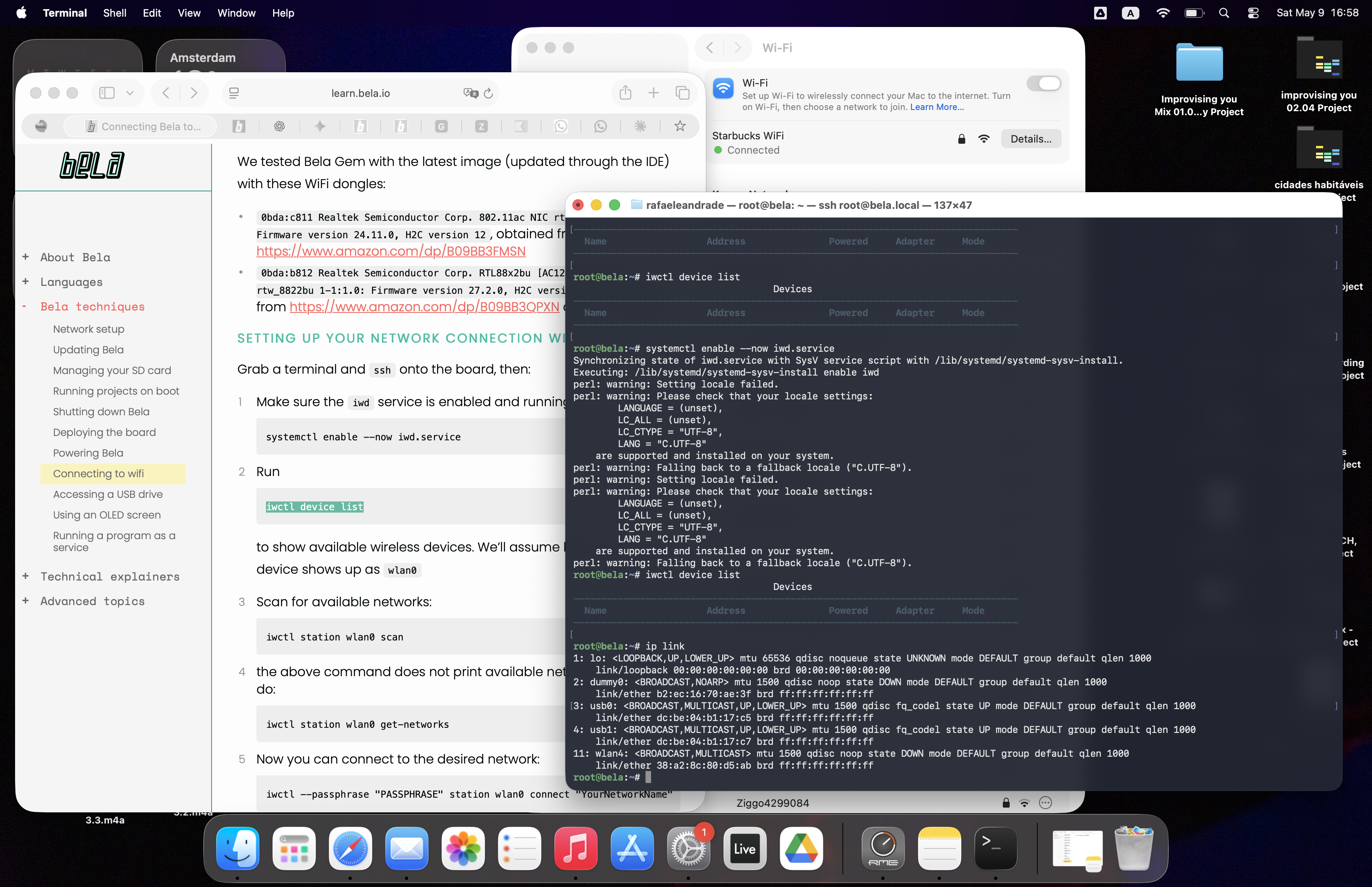
I am reaching out because I’m struggling to get Wi-Fi working on my Bela, I had it working previously but because I had to refresh to a new image, I am not able to do it again anymore. I’ve hit a dead end with my technical troubleshooting. I have tried two different dongles and am running into different issues with each:
- TP-Link Archer T3U: This is a newer generation dongle I bought based on some compatibility notes, but it doesn't seem to show up at all. I suspect the driver isn't supported out-of-the-box.
- Ralink RT5370 (Old Version but worked in a previous version of bela multi image (Dec 2025): This one is detected, but I cannot get it to work. When I check the status, wlan0 stays in the "DOWN" state.
The main challenges I'm facing:
I followed the instructions on learn.bela.io, but I get stuck at the very first steps.
When I run iwctl, I get warnings immediately.
When I run device list (or similar commands), it reports "No devices." * I have tried manually forcing the state to "UP," but it doesn't stick or return a success.
I am find it quite difficult to navigate the terminal commands for driver compilation. Is there a specific configuration change I should make in wpa_supplicant or /etc/network/interfaces to get the RT5370 to stay "UP"? Or is there a known image update that handles these newer chipsets?
Any guidance you could provide to get me back on track would be greatly appreciated!
Rafa
Ps: running lsusb I get:
Bus 001 Device 004: ID 148f:5370 Ralink Technology, Corp. RT5370 Wireless Adapter
Bus 001 Device 001: ID 1d6b:0002 Linux Foundation 2.0 root hub